
AI is quickly becoming part of everyday life—and interior design is no exception. From instant room layouts to fully styled visuals, AI is changing how spaces are planned. But what does that really mean? Is it replacing designers, or simply changing how they work?
In this guide, we’ll break down what AI in interior design looks like, how to use it, and what it means for the future.
AI in interior design refers to tools that generate ideas, visuals, and layouts based on simple inputs. Instead of starting from scratch, you can upload a photo of a room or describe a style—and get design concepts in seconds.
In practice, this often looks like:
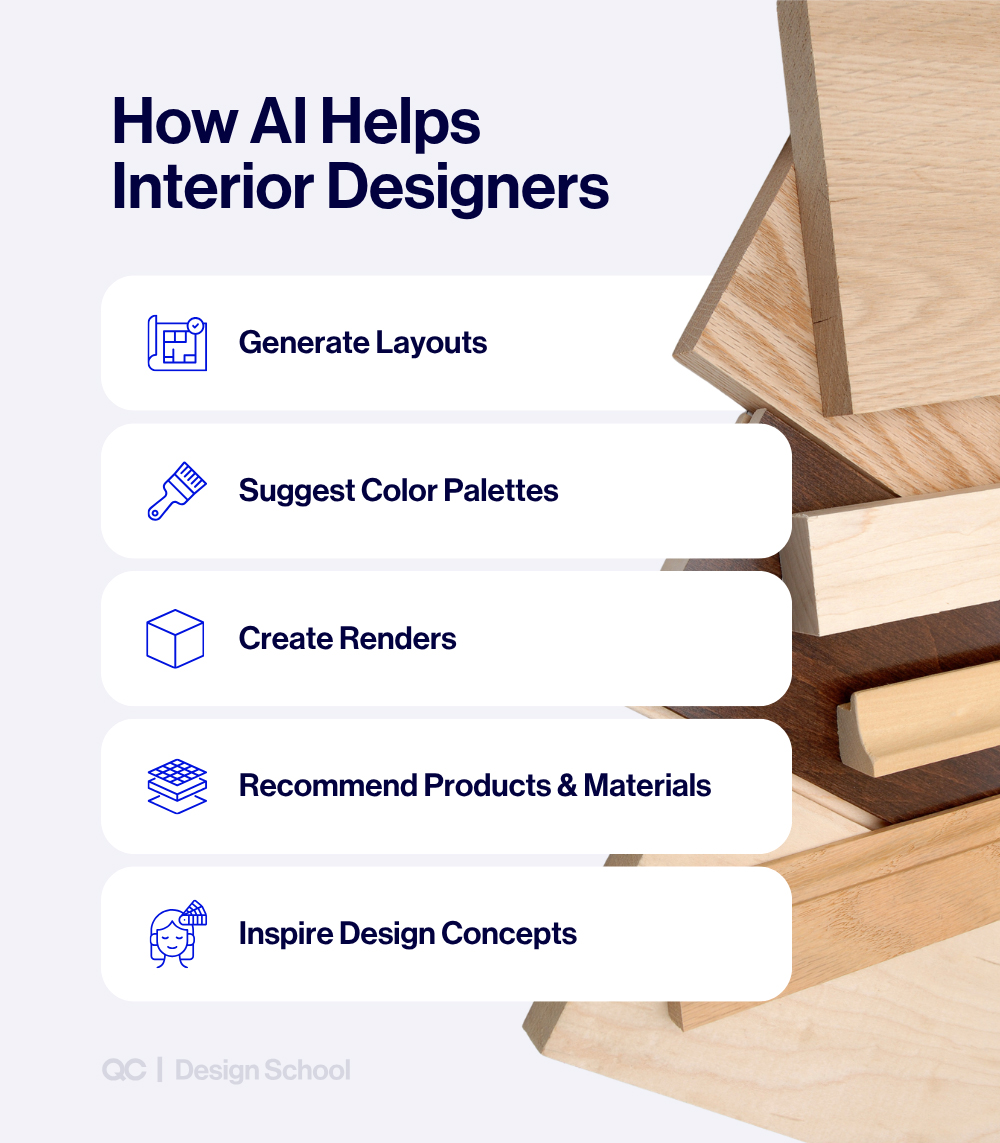
- Generating room visuals: Creating fully styled renders in different design styles
- Suggesting layouts: Rearranging furniture or proposing floor plans
- Building mood boards: Pulling together colors, textures, and furniture ideas
- Suggesting color palettes and design directions: Helping define the overall look and feel of a space
- Recommending products and materials: Offering options that align with a style or budget
These tools are making design faster and more accessible, especially in the early stages of a project.
At the same time, they’re only one part of the process. AI can generate ideas—but it doesn’t fully understand how a space needs to function, feel, or come together in real life.
Think of AI as a creative assistant, not a designer. It’s a powerful way to explore possibilities quickly—but turning those ideas into a cohesive, livable space still relies on human decisions.
Looking to build your design skills? See QC Design School’s Interior Design Career Accelerator Program.
5 Ways AI Is Changing Interior Design
AI isn’t just adding new tools—it’s changing how interior design gets done. Here are five of the biggest shifts happening right now:
1. Faster Ideation and Turnaround
Creating design concepts and visuals used to take hours. With AI, it can now happen in minutes—making it easier to explore more ideas, faster.
2. Lower Barrier to Entry
AI tools make it easier for beginners and homeowners to experiment with layouts, styles, and color palettes—without needing advanced technical skills.
3. Higher Client Expectations
As AI-generated visuals become more common, clients are starting to expect quicker turnaround times and more options earlier in the design process.
4. The Rise of DIY Design Tools
More people are using AI tools to plan and visualize their own spaces. While helpful, these tools don’t replace the depth of a fully developed design.
5. A Shift Toward Creative Direction
With less time spent on technical execution, designers can focus more on concept development, problem-solving, and creating spaces that actually work in real life.
What AI Can (and Can’t) Do in Interior Design
AI can create beautiful visuals in seconds.
But design isn’t just about how a space looks—it’s about how it works for the people living in it.
What AI does well
- Turns ideas into visuals quickly
- Explores different styles and directions
- Generates options to react to
- Helps bring concepts to life early on
Where AI falls short
AI can generate—but it doesn’t truly understand the people behind the space.
It doesn’t:
- Understand how you actually live day to day
- Build relationships or ask the right questions over time
- Balance different tastes and priorities within a household
- Recognize what’s emotionally important versus what can change
And while AI can produce creative-looking results, it still needs direction.
- It doesn’t lead the creative vision
- It doesn’t know what to refine, what to scrap, or what actually works
That’s where a designer’s eye makes the difference.
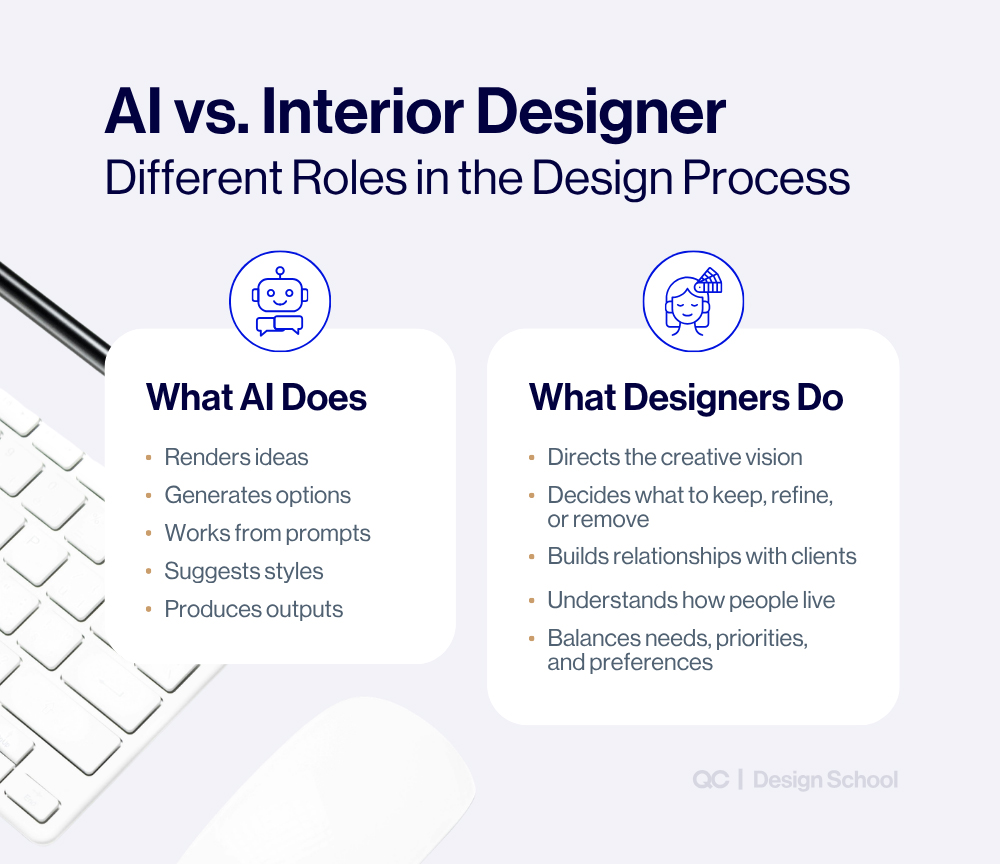
AI can show you possibilities.
Designers turn them into spaces that actually work.
Ready to Explore a Career in Interior Design?
Get the Free Course Catalog
The Opportunity: How AI Is Making Interior Design More Accessible (and Scalable)
AI isn’t just changing how design works—it’s opening up new opportunities.
Lower Cost Barrier
Design tools used to require expensive software and training.
Now, AI tools make it easier to:
- create visuals
- explore ideas
- get started without a large upfront investment
This makes interior design more accessible to beginners and aspiring designers.
Faster Workflow
What once took hours—like creating initial concepts—can now take minutes.
This means:
- quicker turnaround times
- faster client presentations
- more time spent refining ideas instead of building them from scratch
Ability to Take on More Clients
With faster workflows comes the ability to do more.
Designers can:
- handle multiple projects more efficiently
- explore more options without increasing workload
- scale their business more easily
Easier to Start (But Harder to Master)
AI makes it easier than ever to start designing.
Anyone can generate ideas or visuals.
But creating a space that actually works—and feels right—still requires skill.
Why Design Skills Matter More Than Ever in the Age of AI
Tools in interior design have always evolved.
What started with hand drafting moved into digital software like CAD and 3D rendering tools. Now, AI is part of the next shift—making it faster and easier to create visuals and explore ideas.
But while the tools have changed, the foundation of design hasn’t.
What stays consistent are the fundamentals:
- Furniture layout and flow
- Color, texture, and material selection
- Functionality and how a space is used
AI can support the process—but it still needs direction.
Want to learn these fundamentals and apply them in real projects?
QC Design School’s Interior Design & Decorating: Career Accelerator Program teaches you how to develop these skills, build a portfolio, and start working with clients.
How to Use AI in Interior Design (Step-by-Step)
AI works best when it supports your design process—not replaces it.
Most people use AI to generate ideas.
Designers use it to develop and refine them.
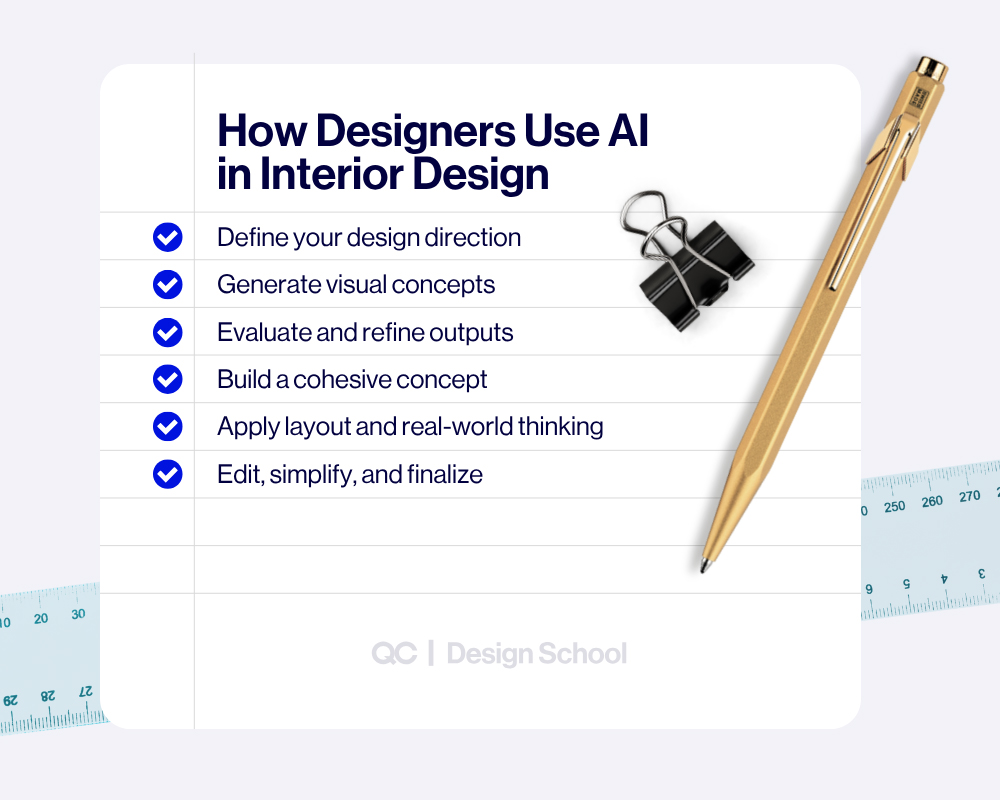
1. Use AI to Explore Creative Direction
Start with a clear idea or concept.
Use AI to quickly visualize different styles, moods, or directions—but don’t rely on it to define the vision.
Think of this step as expanding your ideas, not choosing one.
2. Evaluate What Actually Works
Review what the AI generates—but don’t take it at face value.
Look for:
- what feels off
- what doesn’t fit the space
- what needs to be simplified or refined.
This is where design judgment starts to matter.
3. Build a Cohesive Concept
Take the strongest elements and bring them together.
Define:
- color palette
- materials and finishes
- furniture style
AI can generate options—but it won’t ensure everything works together. That’s your role.
4. Apply Layout and Real-World Thinking
Test the design against the actual space.
Ask:
- Does the layout make sense?
- Is there enough flow and function?
- Will this work day-to-day?
AI suggestions should always be adjusted to fit real-life use.
5. Refine, Edit, and Simplify
This is where designers stand out.
Remove what doesn’t work.
Adjust proportions, balance, and cohesion.
Most AI outputs look “complete”—but they almost always need refinement
6. Present the Final Direction
Use AI visuals to support your concept.
They can help:
- communicate ideas clearly
- show different directions
- speed up presentations
But the final design decisions—and responsibility—are yours.
AI can generate options quickly.
Designers turn those options into something that actually works.
Best AI Tools for Interior Design (and When to Use Them)
AI interior design tools can help with different parts of the process—from generating ideas to visualizing spaces and testing layouts.
Most tools fall into two main categories: visual design tools and layout planning tools. Each serves a different purpose, and many designers use a combination of both.
What to Expect from AI Interior Design Tools
In general, these tools can:
- generate design ideas and visuals quickly
- help you explore different styles and directions
- provide layout suggestions or basic floor plans
However, results can vary depending on the tool and the input. Most outputs will need some level of adjustment or refinement to fit a real space.
For Inspiration and Visual Concepts
These tools focus on generating images and design ideas.
Best for: Quick visual transformations
Upload a photo of a room and see it reimagined in different styles
Best for: Idea exploration and variations
Useful for testing different looks or refining a concept
Best for: Photo-based redesigns
Lets you upload real spaces and apply new styles or staging
For Layout and Space Planning
These tools help with structure, layout, and spatial planning.
Best for: Beginner-friendly room layouts
Allows you to build and visualize spaces in 2D and 3D
Best for: Detailed room planning
Offers tools for layout design and basic rendering
Best for: Floor plans
Useful for mapping out spaces and testing layouts
Most tools offer both free and paid versions, with paid plans typically offering more features or higher-quality outputs.
Choosing the right tool depends on what part of the process you’re working on—whether that’s exploring ideas, visualizing a concept, or planning a space.
Pro Tip: AI-generated layouts aren’t always to scale—or practical. Furniture placement and spacing may look realistic but not work in real life. Reviewing for accuracy, functionality, and flow is a key design skill developed through professional design training.
The Future of Interior Design: Growth, Demand, and the Role of AI
Interior design isn’t shrinking—it’s growing.
The global interior design services market is projected to grow from $87.1 billion in 2025 to over $130 billion by 2030.
This kind of growth reflects a steady increase in demand across the industry—and a growing need for interior designers to meet it.
AI can speed up parts of the process and generate ideas quickly—but turning those ideas into spaces that actually work takes training and a designer’s eye.
Build Real-World Design Skills
QC Design School’s Interior Design/Decorating: Career Accelerator is built to take you from learning design principles to actually working with clients.
Inside the program, you’ll:
- develop real-world design skills through hands-on projects
- get one-on-one feedback from a professional designer
- build a portfolio that demonstrates your work
- access ready-to-use contracts, workflows, and business tools to start taking on clients
Designed to help you move from learning to working
Start Building a Career in Interior Design
Frequently Asked Questions (FAQs) About AI in Interior Design
Will AI replace interior designers?
No. AI can generate visuals and assist with ideas, but it doesn’t replace the human side of design—like understanding clients, making decisions, and creating spaces that work in real life. Designers who know how to use AI will have an advantage.
What is the best AI tool for interior design?
It depends on what you need. Tools like Midjourney and DALL·E are popular for visual concepts, while Planner 5D and Homestyler are better for layouts and planning. Many designers use a combination of tools at different stages.
Are there free AI interior design tools?
Yes. Many AI design tools offer free versions, including RoomGPT, DALL·E, and Planner 5D. These are great for experimenting and generating ideas, though paid versions often offer more features and higher-quality results.
Is AI interior design accurate?
AI can produce impressive visuals, but it isn’t always accurate. Layouts, proportions, and real-world functionality often need to be adjusted. That’s why design knowledge and a trained eye are still important.
Can beginners use AI for interior design?
Yes. AI tools make it easier for beginners to explore design ideas and visualize spaces. However, creating a cohesive and functional design still requires an understanding of design principles and real-world application.